Paper vs Digital EICR Certificates: Which Workflow Is Better for Electricians?
Paper vs digital EICRs: compare capture, corrections, delivery and filing costs.

Written by
Michael Adrian
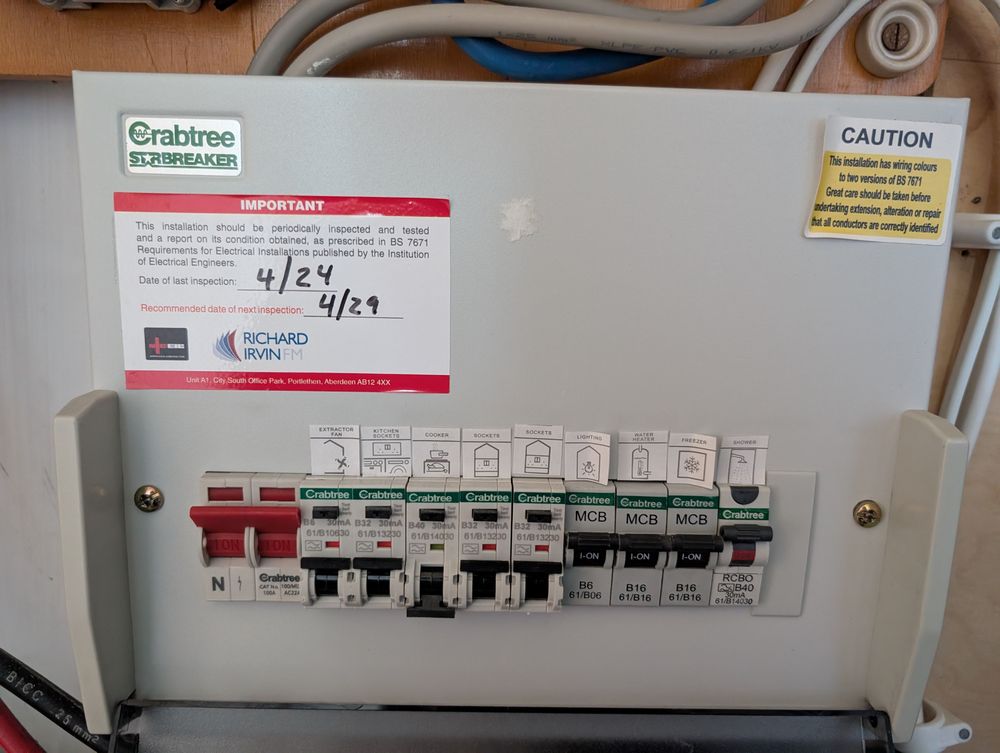
Consumer unit
Paper vs Digital EICR Certificates: Which Workflow Is Better for Electricians?
Paper is still a valid format for recording and issuing an EICR. The real question is whether a paper-based workflow gives you enough control once you are dealing with repeat properties, multiple jobs, office handoffs and clients who want the report straight away.
Digital EICRs do not change the inspection, testing or professional judgement behind the report. They change how information is captured, checked, delivered and found again later. That can remove a lot of admin, but only if the software is built around the job rather than just producing a tidy PDF.
This guide compares paper and digital EICR workflows, explains what still matters regardless of the format, and gives you a practical checklist for deciding whether it is time to move.
Quick summary
- Paper works well when you have low volume, one-person jobs, reliable filing and no need for fast office processing.
- Digital is usually stronger when you repeat properties, send reports electronically, share work between people or spend too much time copying and filing information.
- Neither format makes a poor inspection acceptable. The findings, schedules, codes, report content and delivery still need to be right.
- A proper comparison is about workflow control, not paper versus PDF.
What an EICR must achieve, regardless of format
An EICR records the outcome of an inspection and testing process. The medium is secondary to the quality of the work and the information the report communicates.
That means a digital certificate is not automatically compliant, and a paper certificate is not automatically old-fashioned or inadequate. You still need competent inspection and testing, complete records, appropriate classification of findings, and a reliable way to issue and retain the report for the job in question.
For landlords in England's private and social rented sectors, government guidance says electrical installations must be inspected and tested by a qualified or competent person at least every five years, with a report obtained. The same guidance covers supplying report copies to tenants and prospective tenants, and providing a copy to the local authority when requested. It also explains report retention in relation to the next inspection or test.
Those duties make reliable delivery and retrieval useful. They do not, by themselves, require digital delivery. Check the GOV.UK electrical safety guidance for the England-specific scope and wording. Do not apply these landlord rules automatically to every UK job or jurisdiction.
The technical standard and the applicable model form matter as well. The IET BS 7671 hub is the safer place to check current standards and update information than a vendor's sales page. Electrical Safety First's Best Practice Guide 4 is also signposted by the government guidance for practical EICR reporting and classification-code context.
Software can help you record and present findings. It does not decide whether a finding is C1, C2, C3 or FI for you. That remains professional judgement against the applicable requirements and the evidence from the inspection.
Paper EICRs: where they still work
Paper has some genuine advantages.
On a straightforward job, it is familiar, visible and independent of batteries, signal and app design. You can use it in a poor-connectivity area, hand over a copy on site and keep working if a device fails. For a low-volume electrician with a disciplined filing system, paper may still be perfectly workable.
The trouble starts when the form becomes the first step in a longer admin chain.
Where paper creates friction
Paper workflows often involve some combination of:
- copying customer or property details from an old record
- trying to read rushed handwriting later in the office
- entering the same information into an invoice, spreadsheet or email
- scanning or photographing the completed form
- finding the right copy months or years later
- correcting an error without creating uncertainty about which version is current
- keeping enough blank forms of the right type and version
None of those problems makes paper invalid. They create more opportunities for transcription errors, missing pages, delayed delivery and poor retrieval.
The risk is highest when several people touch the same job. A paper form can be accurate when completed and still become difficult to control once it is copied, scanned, amended, emailed and filed in different places.
Digital EICRs: what changes in the workflow
A digital EICR workflow can move information capture closer to the point of inspection. Depending on the provider, it may also offer validation, reusable property records, generated PDFs, electronic delivery and searchable job history.
Those are capabilities to check, not assumptions to make about every EICR app.
The main benefit is less duplicate handling. Property and client information may be available before you start. Required fields can be visible while you work. The report can be produced from the recorded information instead of being retyped later. A digital file can then be sent and retrieved without scanning a paper original.
That is the good version. The bad version is a glossy PDF generator that still leaves you with poor data capture, no useful correction history and no sensible export if you leave the platform.
The digital limits people forget
Before moving, check the failure points as carefully as the headline features:
- Does it work where signal is poor, and what happens if the device or battery fails?
- Can you export the records and reports in a usable format?
- How are corrections handled after a report has been issued?
- Is there a clear distinction between a draft, an amended report and the final issued version?
- How are accounts, access, backups and retention managed?
- What happens to your data if you stop paying or change provider?
- Does the system support the current applicable form or version, and how are updates communicated?
Digital removes some friction. It also creates a dependency on the device, software, account and provider. That is manageable when the fallback and data ownership are clear.
Paper vs digital EICR comparison
| Part of the workflow | Paper | Digital |
|---|---|---|
| Site capture | Familiar and independent of a device | Can put structured capture at the point of inspection |
| Legibility | Depends on handwriting and copies | Usually easier to read, if the data is entered correctly |
| Duplicate entry | Common when office systems are separate | Can be reduced, depending on integrations and workflow |
| Corrections | Manual and potentially unclear after copying | Can be controlled, but only if version and correction history are clear |
| Delivery | Hand over, post, scan or manually email | Often quicker to issue electronically, subject to provider capability |
| Retrieval | Depends on physical filing and indexing | Searchable if records remain accessible and well organised |
| Team review | Physical or scanned copies need sharing | Can be easier to review remotely, depending on permissions |
| Version control | Forms and copies can diverge | Software can help, but only with a proper update and issue process |
| Offline use | Strong by default | Must be tested rather than assumed |
| Audit trail | Usually manual | May be available, but verify exactly what is recorded |
| Cost | Low software cost, higher paper and admin cost | Subscription or setup cost, with potential admin savings |
| Migration | No system migration if starting from paper | Old records, templates and processes need a plan |
The table is a decision aid, not a promise that every digital product delivers every benefit. Ask to see the actual workflow before you commit.
Choose EICR software without buying a PDF generator
Start with the report and the inspection process. Work backwards from what needs to be recorded, reviewed, issued and retrieved.
Check form and version control
Ask which EICR form or model-form version the provider supports today. Ask how updates are handled when the applicable standard or form changes, and whether existing records remain readable after an update.
Be wary of vague claims about upcoming changes. The manifest for this article references October 2026 EAS changes and Amendment 4, but the exact notice, scope and transition rules need primary confirmation before those details are used as publishing facts. There is no sensible reason to claim that electricians are being forced to go paperless until an authoritative source actually says so.
Check the working day, not the sales demo
Test a realistic job from start to finish:
- Set up a new property and a repeat property.
- Record a full inspection, including schedules and findings.
- Correct a mistake before issue.
- Issue the report and check what the recipient receives.
- Find the same record later without relying on the salesperson.
- Try the process with no signal or a nearly flat device.
You want clear capture, sensible validation, usable reports and an obvious fallback. If the system is fast in a demo but awkward on site, it will not save you time.
Check ownership, security and exit routes
Ask where the data is stored, who can access it, how backups work, how long records are retained and what happens if you cancel. Confirm that you can export your records in a form you can actually use.
Also check signatures, correction history, permissions and audit information against your own clients, scheme and business requirements. Do not assume that an electronic signature or a PDF answers every requirement in every context.
Is it time for your business to go paperless?
You are probably ready to investigate digital if several of these are true:
- you complete enough EICRs that filing and searching has become a weekly job
- you revisit the same properties and keep retyping the same details
- clients expect a report by email shortly after the inspection
- someone in the office checks, sends or stores your reports
- you regularly lose time to missing pages, illegible notes or duplicate entry
- you need a clearer view of open reports and remedial follow-up
Paper may still be the better fit when you do low volume, work alone, have a reliable manual filing process and operate in places where device or connectivity failures are common. There is no prize for going paperless if the new workflow is less dependable than the one you already run.
The practical test is simple: compare the complete cost of the current process. Include forms, printing, scanning, travel or postage, office time, rework and the cost of a delayed or missing report. Then compare that with the software cost, setup time, training, device needs and exit risk.
Where TestFast fits
TestFast is relevant at the workflow point between recording inspection results and managing the finished report. If you are assessing it, run the same due-diligence test above: capture a realistic EICR, review it, generate the report, deliver it, correct an error in a controlled way and retrieve the record later.
The useful question is not whether a product says “digital EICR”. It is whether the workflow gives you consistent records and less avoidable admin without getting in the way of competent inspection and testing. You can start with EICR software, then check the live product workflow against your own form, version, export, retention and offline requirements.
Final checklist before switching
Before you move from paper to digital, confirm:
- the applicable EICR form and version are supported
- inspection data, schedules and findings can be captured completely
- corrections and reissued reports are controlled and understandable
- reports can be delivered in the format your clients need
- records can be searched, exported and retained
- offline behaviour and device-failure fallback have been tested
- user permissions, backups and data access are documented
- your team knows who reviews and issues the final report
- old paper records have a sensible migration or retention plan
- the system supports your workflow rather than trying to replace professional judgement
Paper is a format. Digital is a workflow. Choose the one that gives you the stronger chain from inspection and testing to accurate report, delivery and retrieval.
Ready to transform your EICR workflow?
Join hundreds of UK electricians who are saving hours on every report with TestFast.